

Unblur Image: Make a Blurry Photo Clearer
Unblur an image by uploading a blurry photo and enhancing its clarity in the existing AI upscaler. Compare the result with the original before downloading; generated detail may differ from the scene. Paid upscaling requires purchased credits; limited free restoration is linked below.
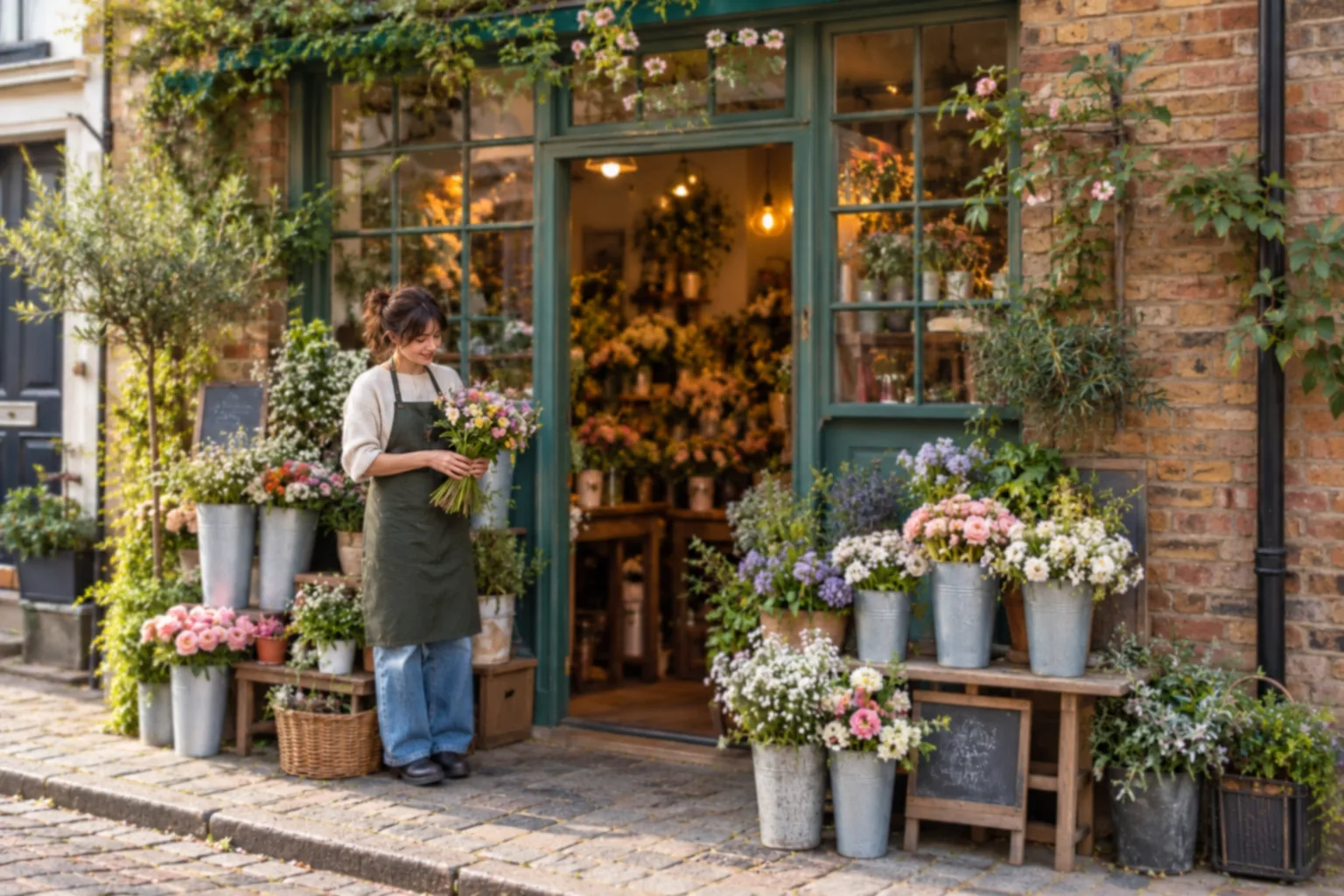
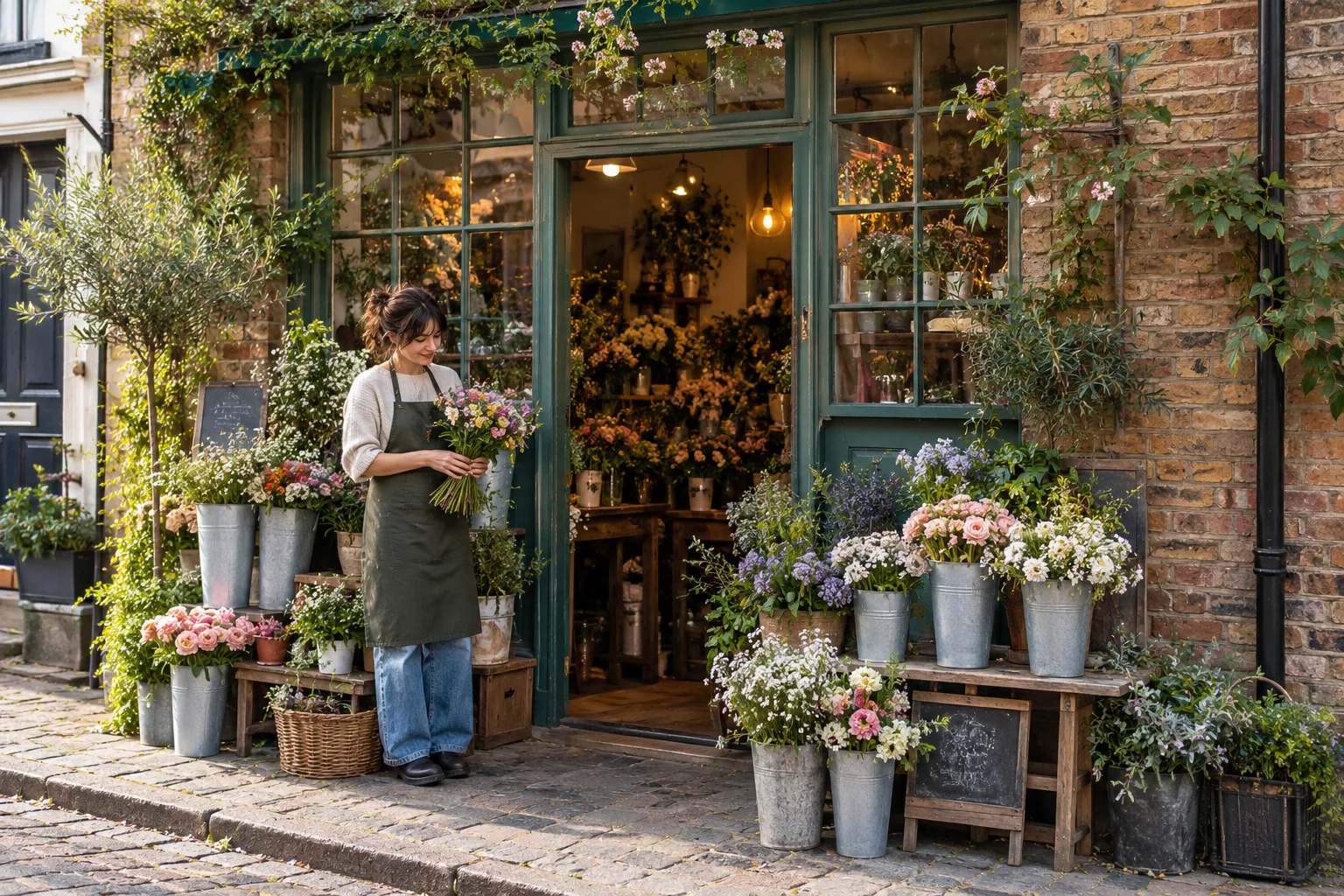
Compare soft focus, scan damage and clarity
Use the seam to inspect each pair. Start by naming the visible problem. A crease across a scan needs a different edit from a soft edge on a recent digital photo.
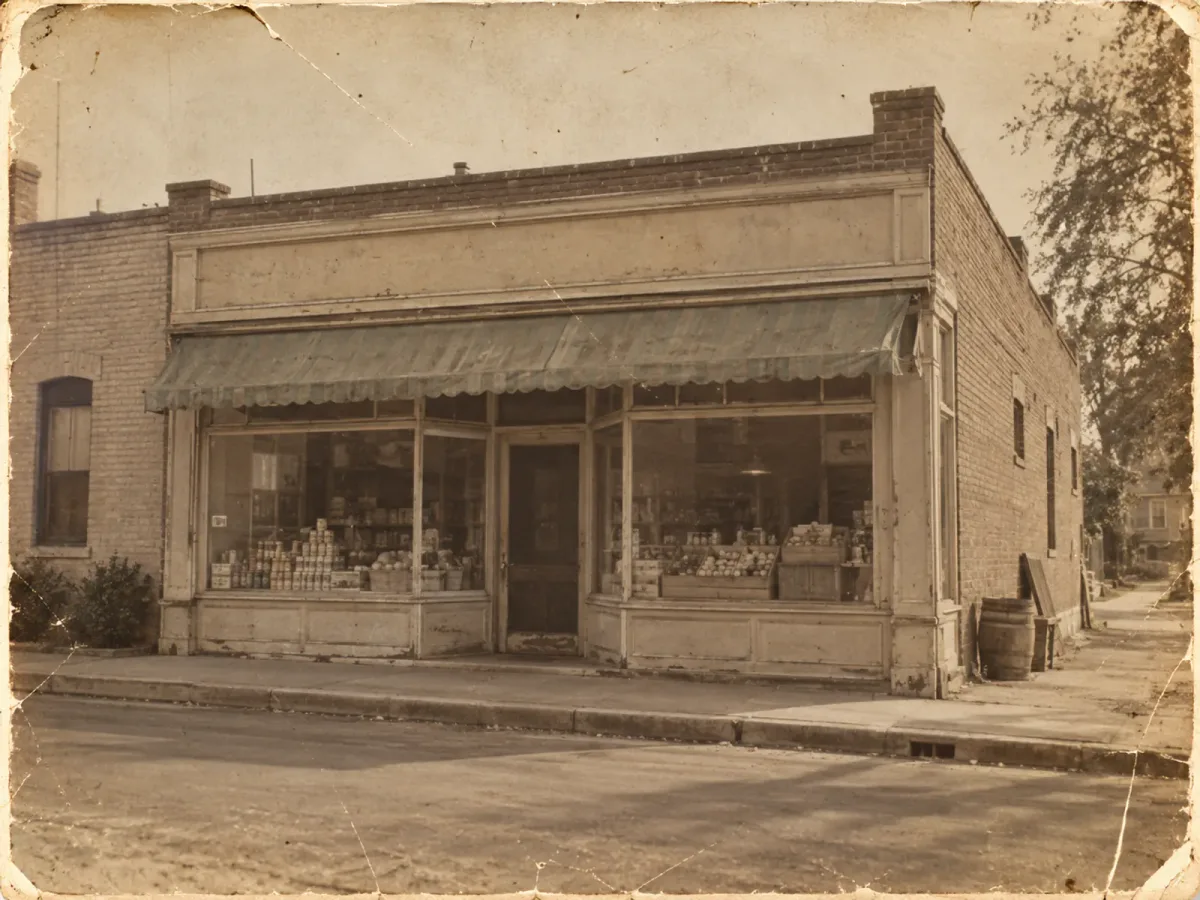
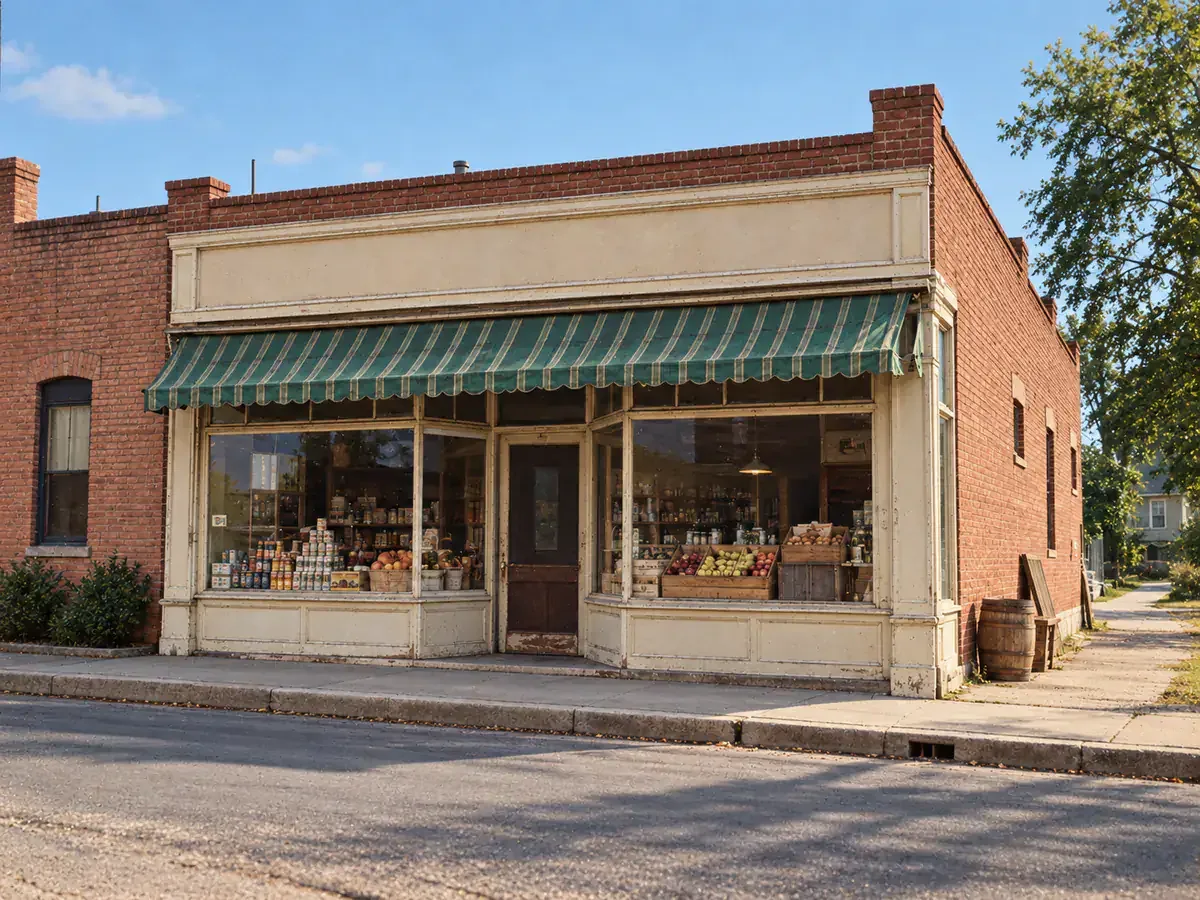
Faded storefront scan
Use the window frames and building edges to separate blur from fading. A low-contrast scan can look soft even where an edge survives. If stains, faded tones and fold marks are the main problem, repair the scan first. Enlarge the repaired file only if you need a bigger export.
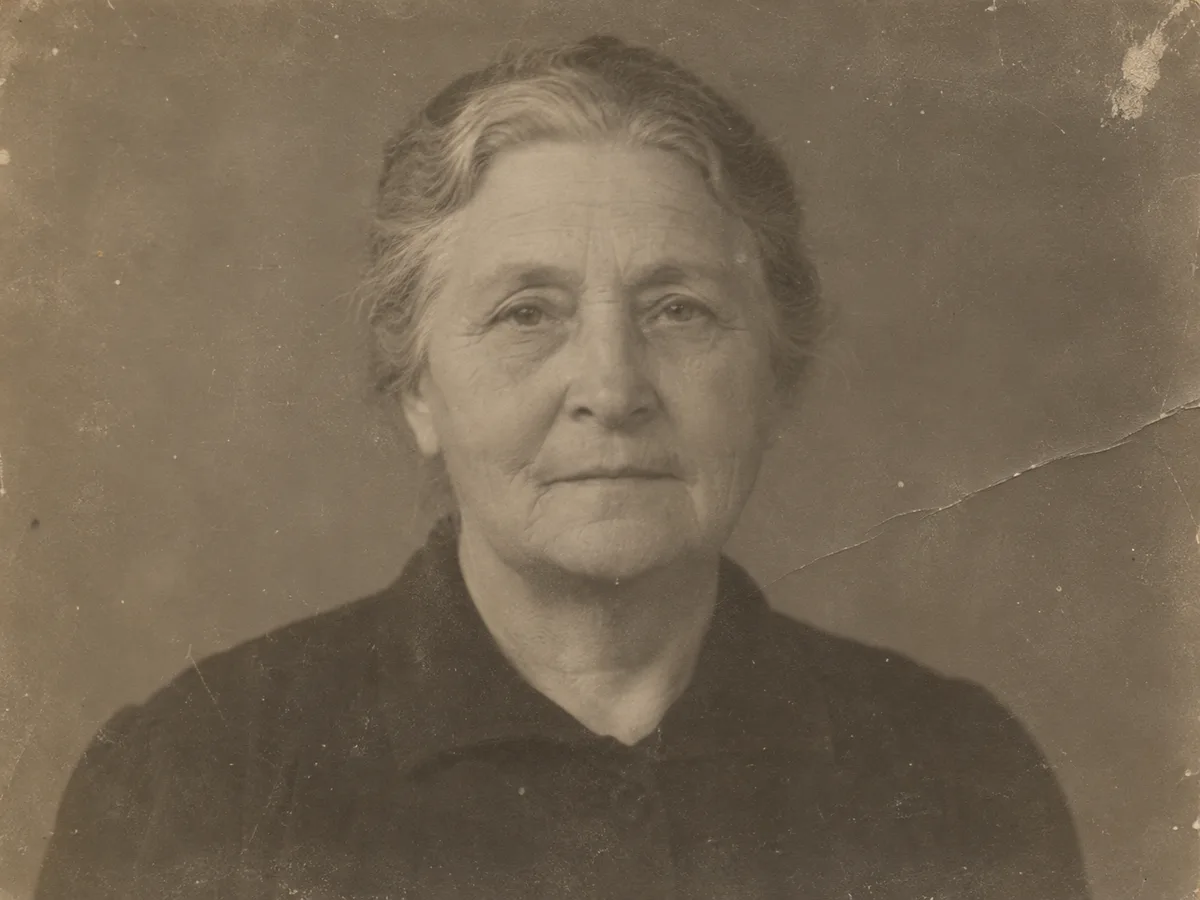
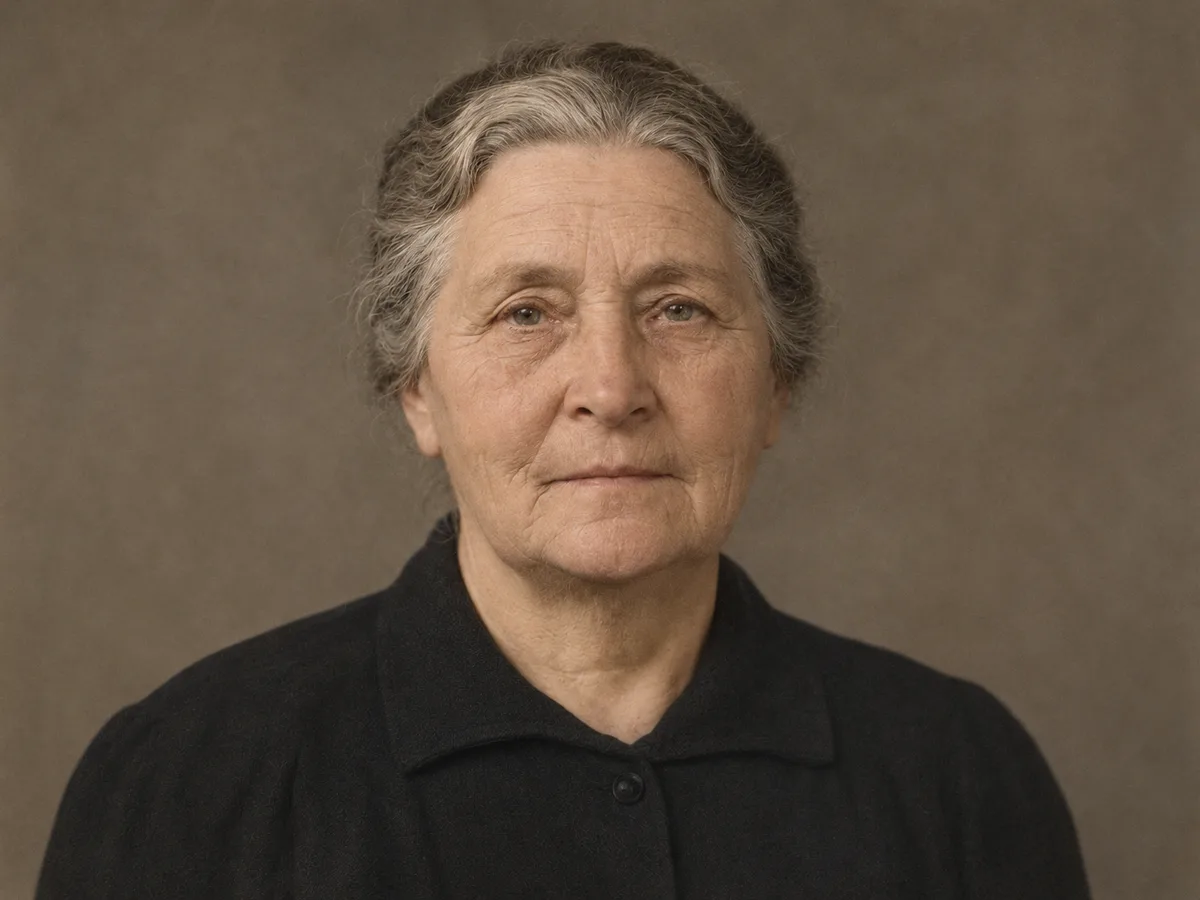
Soft details in a scratched portrait
Inspect each eye, the hairline and the lines around the mouth. AI can reconstruct a plausible eyelid or hair edge from surrounding shapes. If an eyebrow or expression changes, the added sharpness came with an identity change. Keep the scan for reference.
Soft-focus flower shop
Check whether individual petal edges are easier to distinguish. Follow the glass reflections and the outline of the person near the shop. A better-defined edge is useful only if it stays in the right place.
Match the tool to the blur you can see
| Source problem | Likely outcome | Start here |
|---|---|---|
| Mild soft focus | Visible outlines may become easier to read. Check eyes and thin edges for replacement detail. | Try 2K enhancement and compare at the same display size. |
| Compressed or low-resolution JPEG | Block boundaries or halos can look sharper too. Fine texture may be inferred. | Find the original before trying 2K. Upload the smallest source only if it is all you have. |
| Severe motion blur | Long trails and doubled edges overlap information the model would need to recover a sharp edge. | Use a nearby frame if possible. Try a restoration pass only if the photo also has physical damage. |
| Unreadable text, faces or plates | A crisp generated letter or face can disagree with the original. | Use the higher-resolution source or a verified record for the detail. Keep the original for evidence. |
Tell motion blur from soft focus
Follow one high-contrast edge, such as an earring, a door frame or the corner of a sign. A streak in the same direction across several objects points to camera movement. A soft edge around a subject with a cleaner background points to where the camera focused. Compression often leaves a grid in flat areas or a narrow halo around dark edges.
Check one center detail and one near the edge of the frame. If the blur is confined to the background, you can keep that separation and check whether the subject already has enough detail for its intended size. Judge the enhancement with both pictures displayed at the same scale.
How to unblur an image online
- Upload a JPG, PNG or WebP photo you own or may edit. Keep the original.
- Choose 2K or 4K in the upscaler and review the displayed credit quote. This mode requires purchased credits.
- Confirm permission and enhance the photo. The tool requests clarity while preserving the composition.
- Compare the result with the source, then download an approved version. Check eyes, labels and lettering at full size.
Spot false detail before keeping an enhanced photo
The eyes look unfamiliar or the skin looks waxy
Check eye shape, eyelid folds and expression at equal zoom first. A grainier source can still show a more accurate expression. If the new face changes the look of the person, discard that version and start with a clearer source or the least damaged scan.
The packaging looks sharper but the letters are wrong
The model can infer strokes from nearby shapes, including plausible-looking letters. Compare every character to a readable original. For a design, retype known wording in a conventional editor. Keep important text in its verified source format.
The photo has creases or color casts as well as blur
Start with restoration for a faded or damaged print. Review repair and any changes to tone, then use the AI image upscaler for a 2K copy if you need more pixels. For an intact black-and-white photo that needs color, use photo colorization.
Unblur image questions
How do I unblur an image online?
Upload a blurry photo, choose an output size in the upscaler, confirm permission and enhance. Compare faces, lettering and edges with the original before downloading.
Can I unblur an image free?
The upscaler requires purchased credits. For limited free use, try Restore old photo on the photo restoration page; it can also change fading and scratches. It shares the existing free editing allowance.
Can AI unblur images with severe motion blur?
AI can reconstruct plausible details but cannot guarantee recovery of information that is missing. Severe blur, faces and small text need careful review. Keep the original file.
What should I check after sharpening a face?
Compare the eye shape, expression, hairline and skin texture with the original at the same scale. If the expression has changed or the skin looks unnaturally smooth, keep the original and try a clearer source.
Can I make small text or a license plate readable?
Use a higher-resolution source or a verified record for important text. AI can draw crisp-looking letters and numbers that differ from the source.
Should I repair scratches before I increase the size?
Yes. Restore folds, spots and fading first. Compare the repaired file with the original, then choose 2K or 4K if you need a larger export.